ChannelReply allows you to create a unique tag for any Amazon, eBay or Walmart account you have connected. Tags only take a second to set up, but they’re incredibly useful.
How Do I Add a Tag to an Amazon, eBay or Walmart Account?
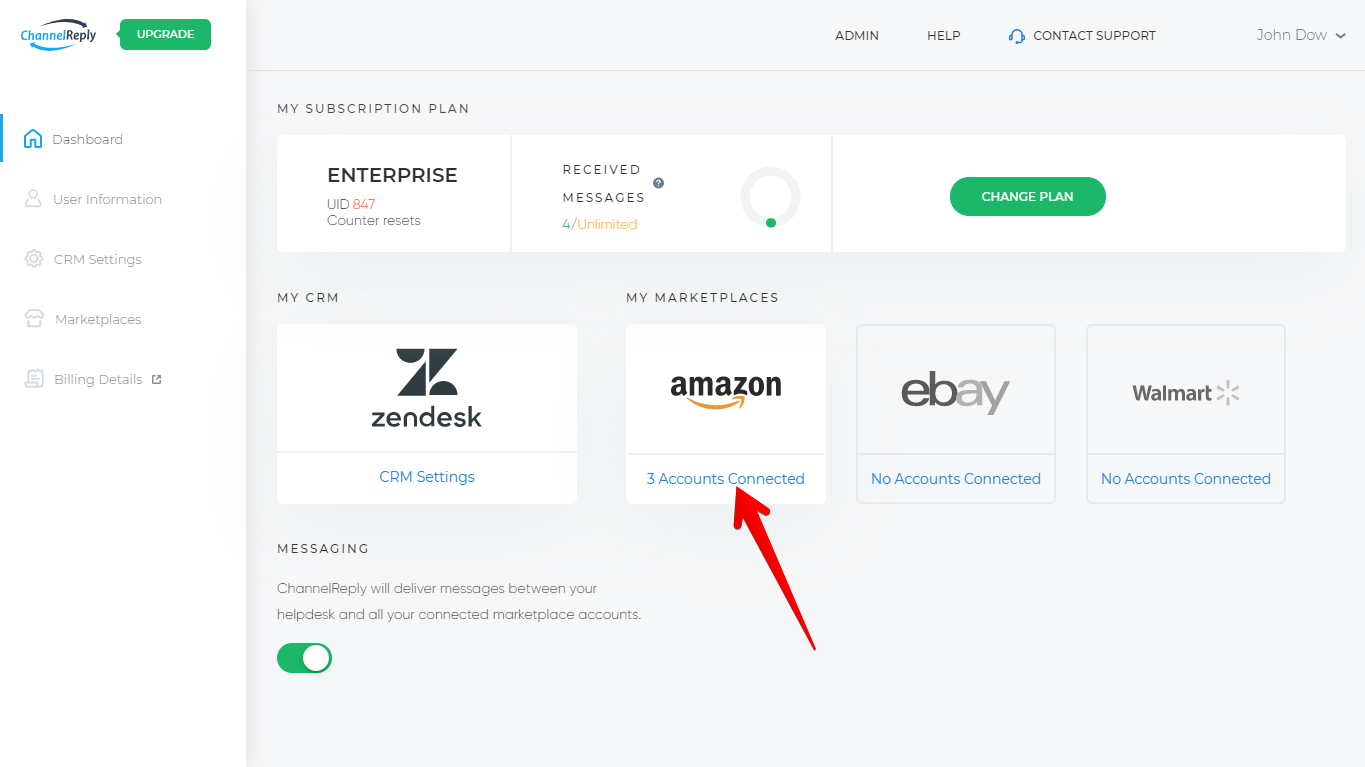
Sign in to ChannelReply. Then click on Amazon, eBay or Walmart on the dashboard—any marketplace with at least one account connected.
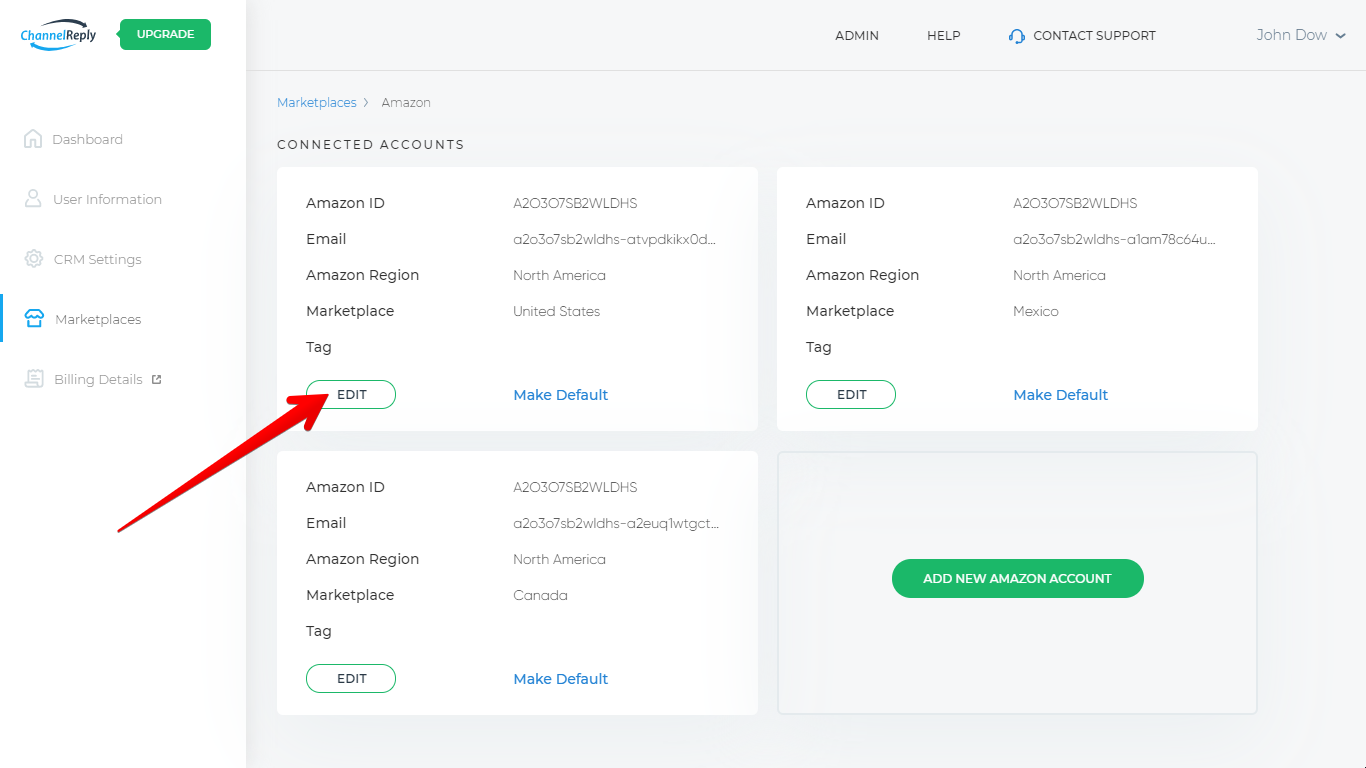
Click “EDIT” on one of your accounts.
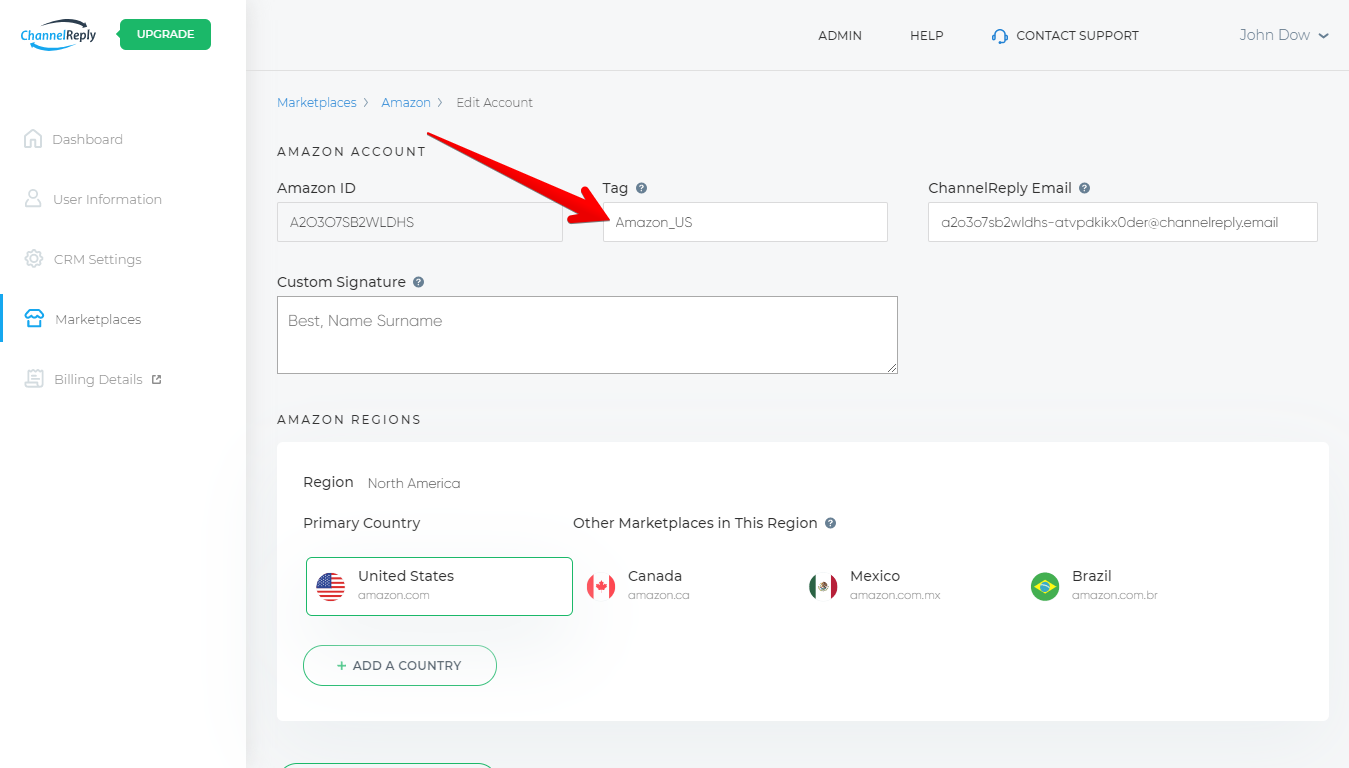
Fill in the “Tag” field. Your tag should be written as one word. If you want to include multiple words, we recommend separating them with underscores rather than spaces. Good tags might look like “amazon_canada” or “walmart_mycompany.”
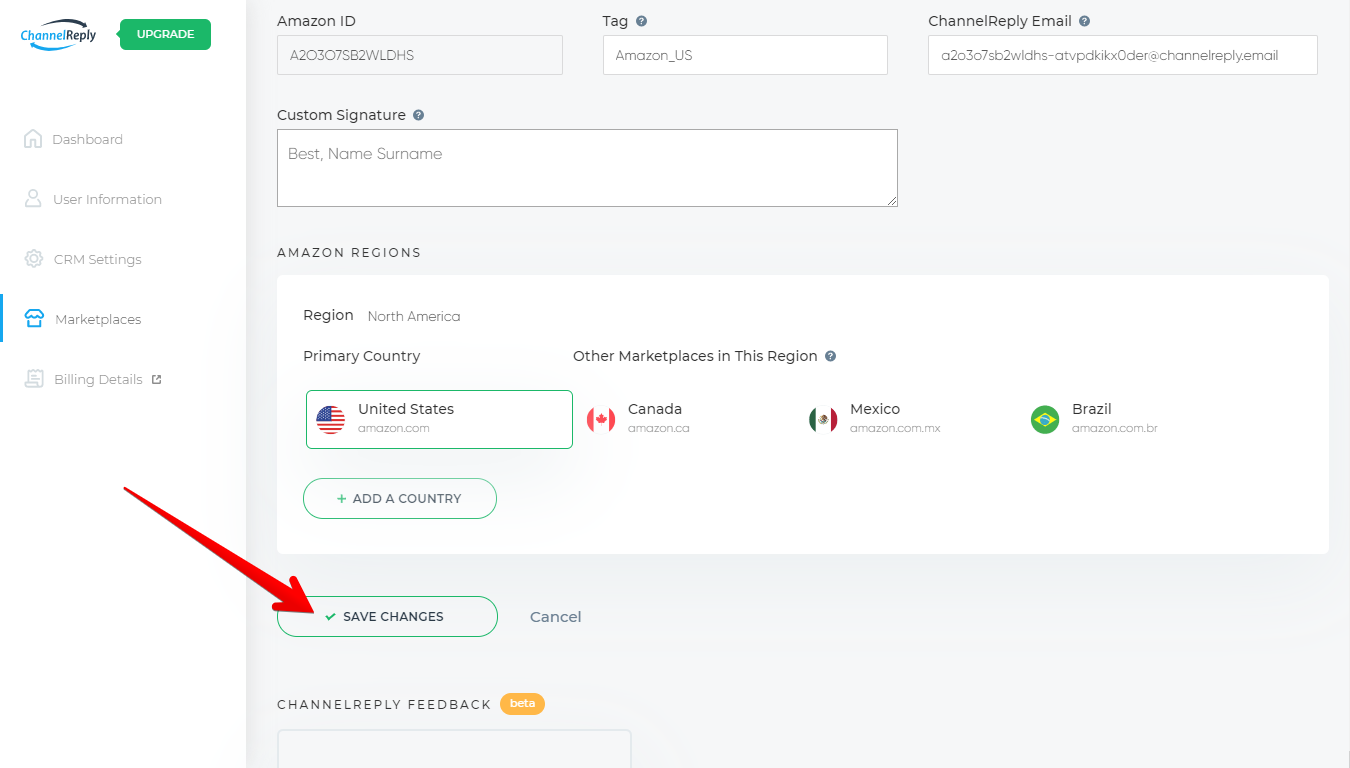
Click “SAVE CHANGES.”
Repeat this process for each of your marketplace accounts.
Although you can use one tag for multiple accounts, it’s usually smarter to create a unique tag each time. For example, we have one account each for Amazon USA, Canada, and Mexico. Rather than just tagging each one “Amazon,” we might use Amazon_US, Amazon_CA, and Amazon_MX.
Are There Other ChannelReply Tags?
Yes! Our optional eBay Resolution Center Support and New Order notifications are tagged automatically.
- The tag “inquiry” will appear on Resolution Center inquiries.
- “case” will appear on cases.
- “return” will appear on returns.
- “neworder” will appear on new eBay orders.
The same goes for our optional Negative Feedback notifications for Amazon. Those will come in with the tags “negative” and “feedback” automatically added. (We created the tag “negative feedback” back when using spaces in a tag was cool. Now we can’t change it without breaking a bunch of our customers’ triggers. Oops!)
What Do ChannelReply Tags Do?
1. Identify Where the Message Came From
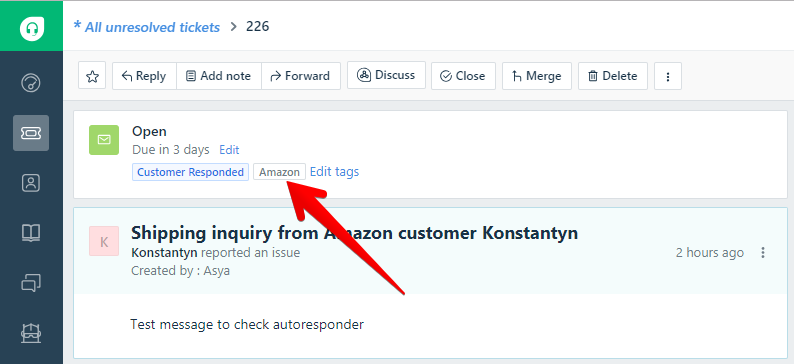
An Amazon tag on a Freshdesk ticket. In this example, the tag is simply “Amazon.”
Tags will show you which message came from which account. Since we entered “Amazon_US” as the tag for our Amazon.com account, we will see that tag on every Amazon.com message in our helpdesk.
2. Show Which Messages Were Delivered by ChannelReply
Only messages delivered by ChannelReply will have your ChannelReply tag. This makes it very helpful for troubleshooting.
For example, say you ran into a problem with duplicate eBay tickets due to a configuration issue. Having tags would make it easy to see that some messages were from ChannelReply while others were being delivered directly by eBay.
To spot problems like this, our staff often asks about tags when providing support. Setting tags up now will help move things along faster if you ever need to contact us.
3. Help with Building Views and Business Rules
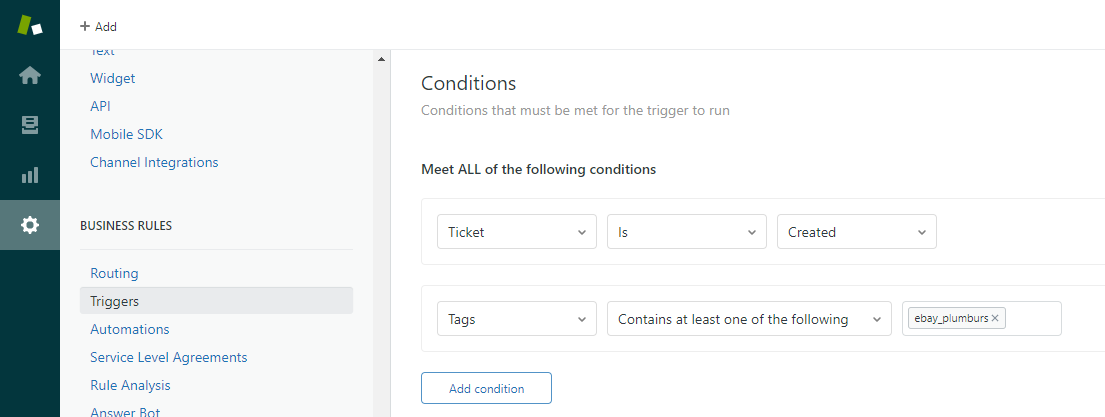
Building a trigger in Zendesk using an eBay account tag.
Every helpdesk can use tags.
In Zendesk, Freshdesk and Gorgias, you can use tags to create views. For example, if you wanted a view just for your Walmart tickets, you could easily do that by using the tags from your Walmart accounts.
In Re:amaze, a filter is instantly created for each tag.
You can also use ChannelReply tags in any helpdesk’s business rules:
This gives you endless time-saving possibilities.
These aren’t the only places tags can be used, but they’re usually the best places to start. You may find even more applications if you look around and experiment.
Tags allow ChannelReply and your helpdesk to work together to their full potential. Don’t ignore this simple but mighty feature!


 Amazon
 eBay
eBay
 Shopify
 Walmart
 Back Market
 Newegg
 Etsy
Etsy
 WooCommerce
 Zendesk
 Freshdesk
 Help Scout
 Gorgias
 Re:amaze
 Zoho Desk
 Kustomer
 Onsite
 Help Center
 FAQ
FAQ
 Blog
Blog