Click on your name in the upper-left corner and select "Account settings."
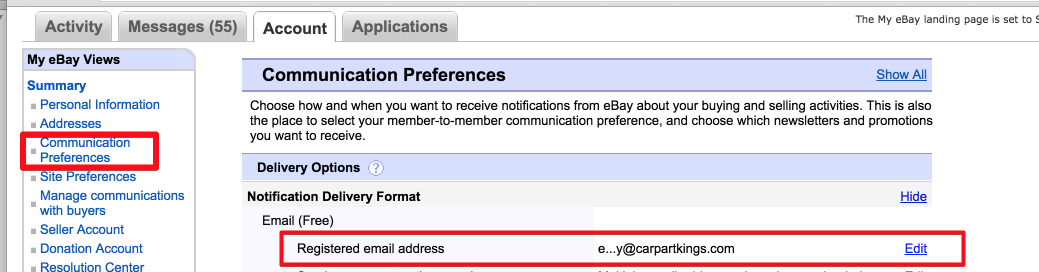
Click “Communication Preferences.”
To the right of "Notification Delivery Format," click "Show."
Edit your registered email address. Enter an address that forwards all messages to your Zendesk, Freshdesk, Gorgias or Re:amaze account or a Help Scout mailbox.
If you are using ChannelReply, do not enter an email address related to your helpdesk in "Receive messages from other members." Use any secure email address that does not forward to your helpdesk; see "Duplicate Tickets from eBay" for the reason why. Only your registered email address needs to forward to your helpdesk.
Buyer messages don't need to be forwarded over email because ChannelReply delivers them straight to your helpdesk by API.
Note that if you change your registered email address, eBay may automatically update your other addresses to match. You will then need to switch them back manually. This video explains how to do that:
Advanced eBay Notifications from ChannelReply
ChannelReply has two types of advanced eBay notifications: Resolution Center Support and New Order notifications. These are both optional.
Resolution Center Support
Resolution Center Support (RCS for short) is enabled by default. While this is active, we send you our own notifications about your eBay Resolution Center inquiries, cases and returns.
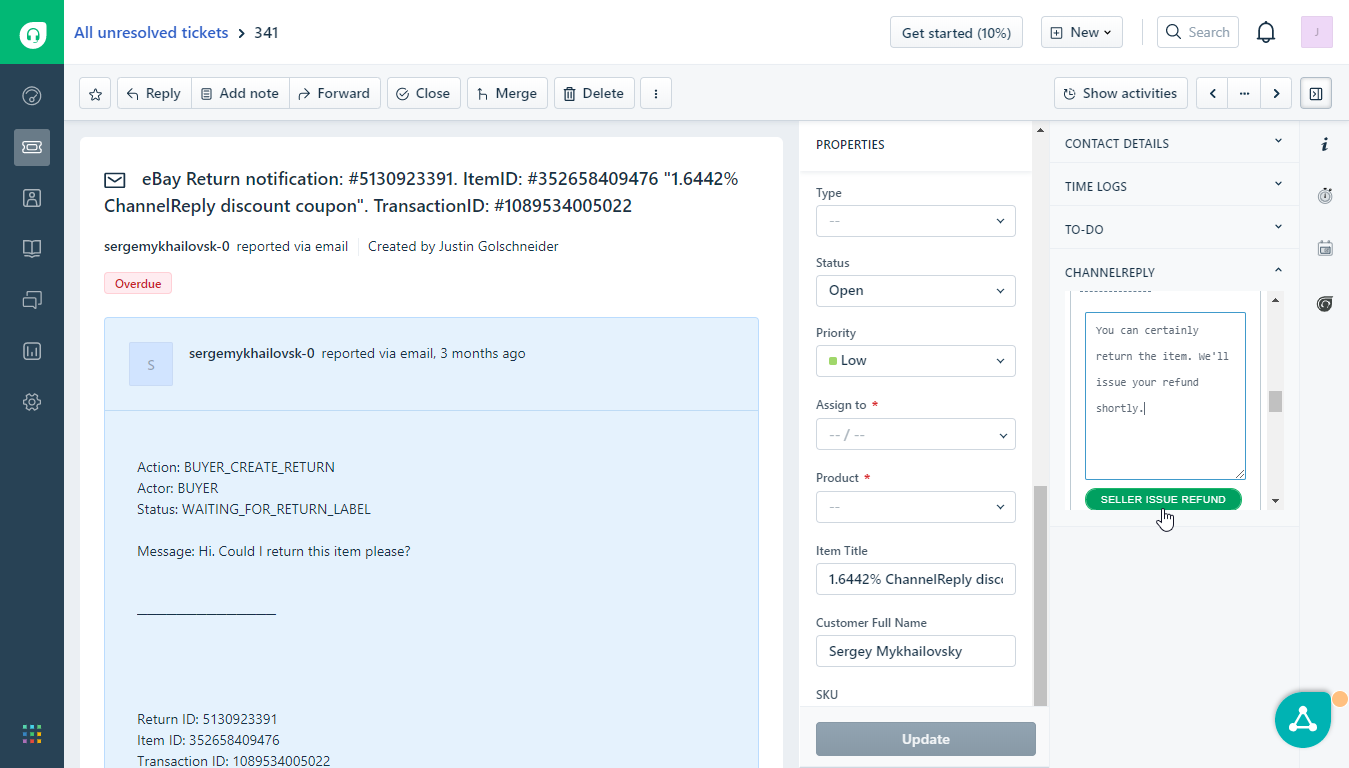
Zendesk, Freshdesk and Re:amaze users can perform actions on RCS notifications, such as approving returns, issuing RMAs and providing information required by eBay.
All ChannelReply users can also reply to RCS notifications directly. Your reply will go to the Resolution Center if possible; if the Resolution Center refuses to accept the message, we will deliver it straight to the buyer.
See our article on Resolution Center Support for detailed information on these advanced notifications.
Please note that RCS notifications count toward your monthly message limit.
New Order Notifications
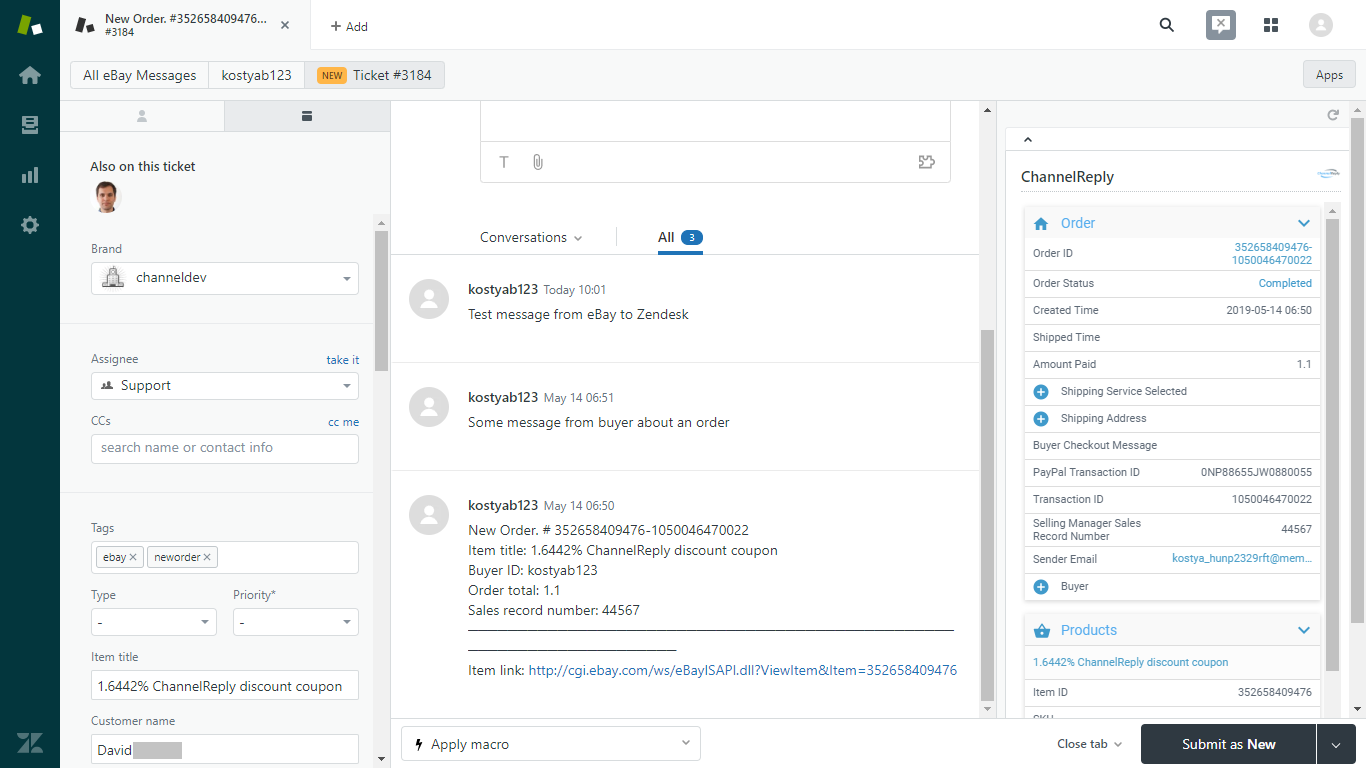
ChannelReply’s New Order notifications work a lot like eBay’s, but you can reply to them. That means you can message any eBay buyer who purchases from you, even if they haven't sent you a message. These notifications also support the ChannelReply app and custom fields.
Our New Order notifications are automatically tagged with “neworder” to help you tell them apart from eBay emails.
Unlike RCS, New Order notifications do not count toward your monthly message limit.
Please note that this feature is turned off by default.
About Duplicate eBay Notifications
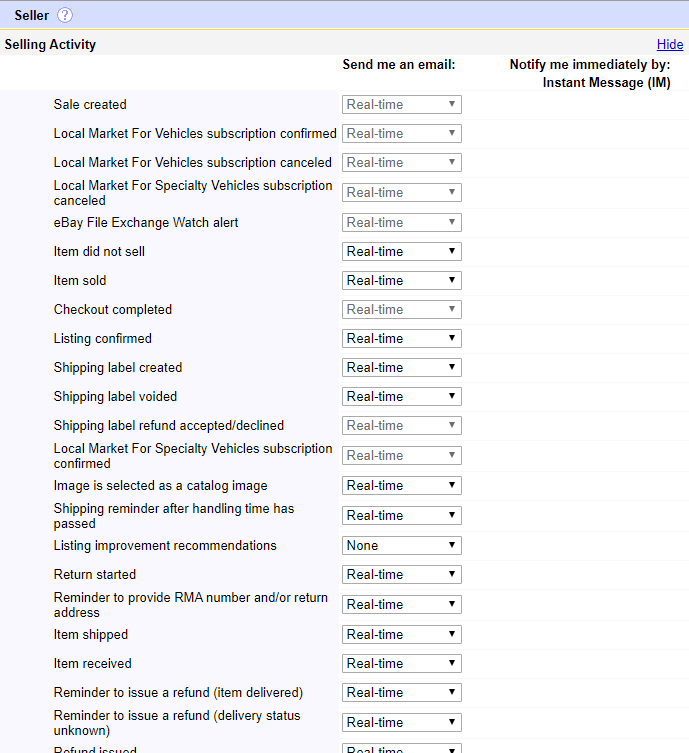
ChannelReply’s advanced notifications may sometimes duplicate eBay emails. Fortunately, you can disable some of eBay’s notifications from inside your eBay Communication Preferences:
You can also disable Resolution Center Support from inside ChannelReply if desired.
How to Enable or Disable ChannelReply eBay Notifications
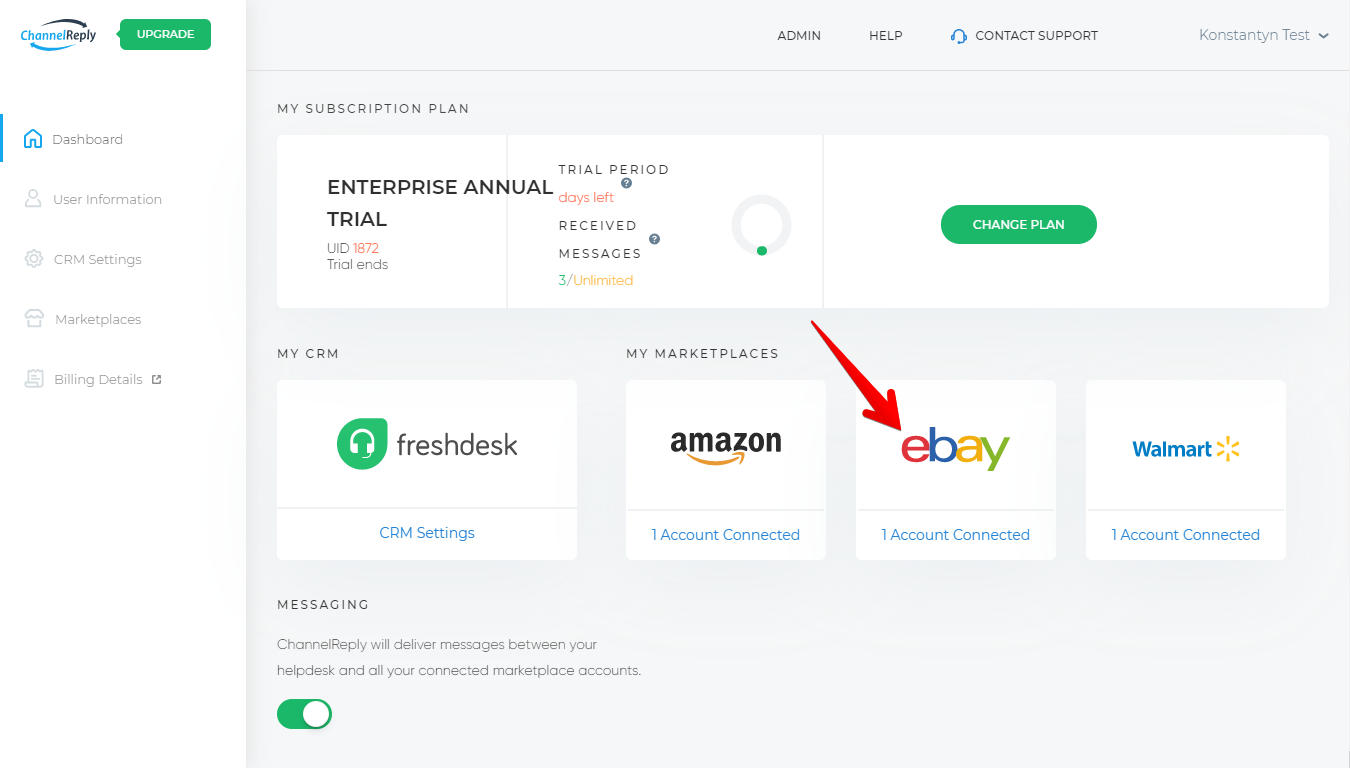
To update your advanced eBay notification preferences, log in to ChannelReply and click “eBay.”
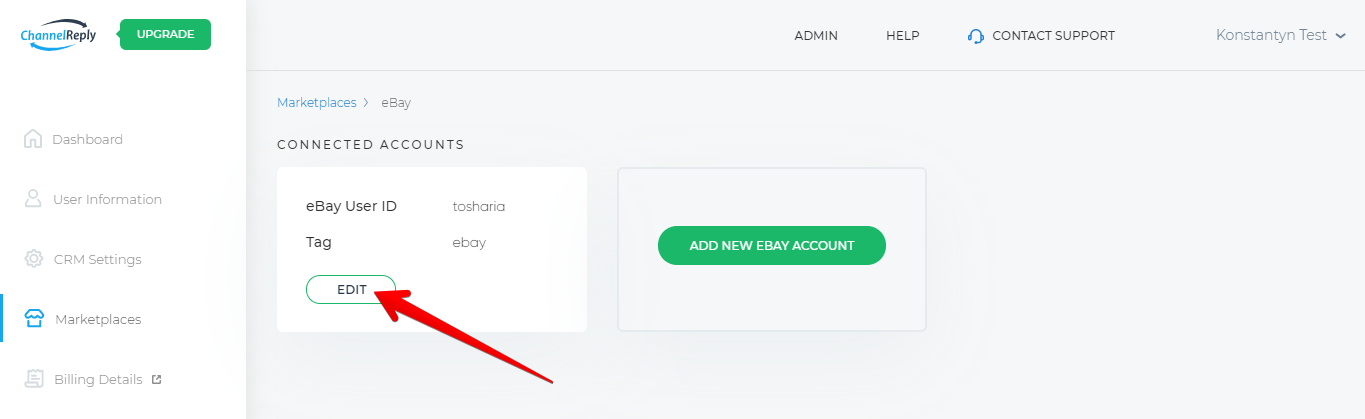
Then click “EDIT” under your eBay account.
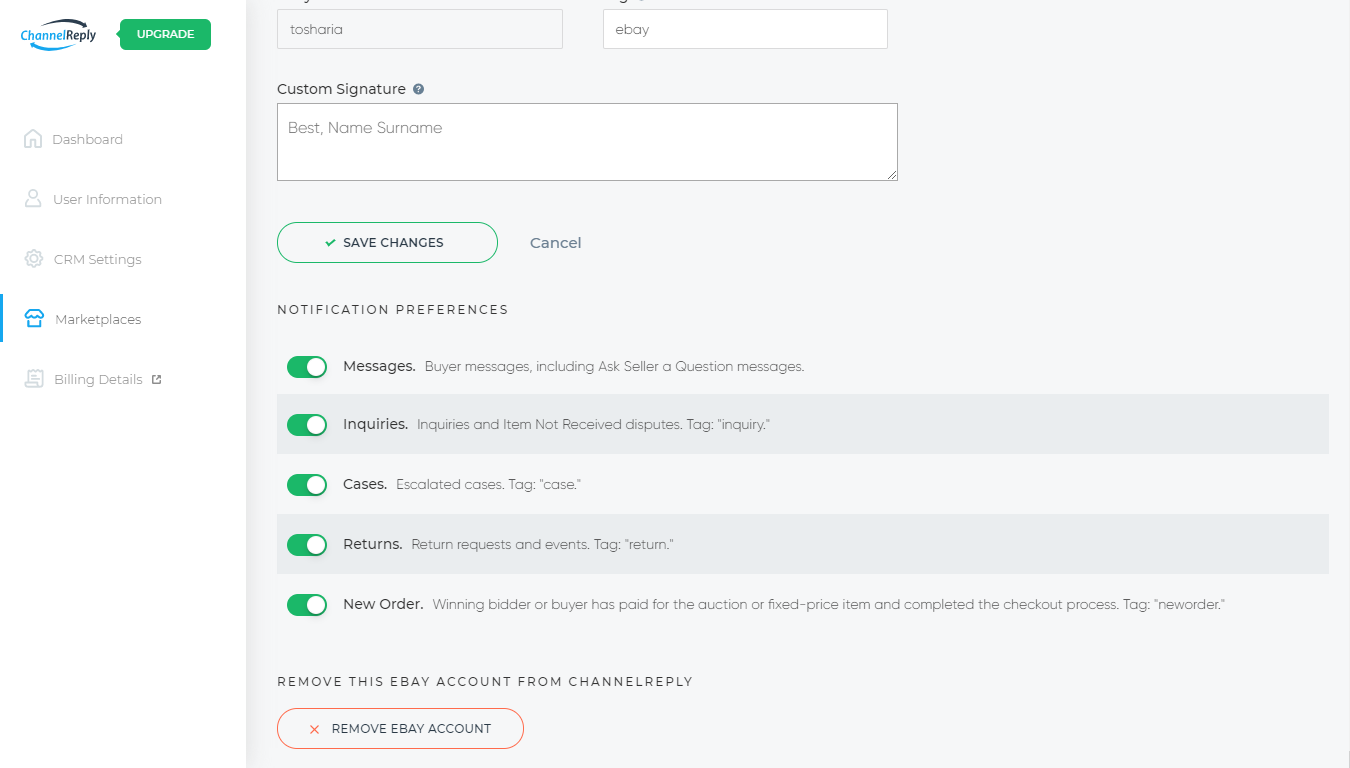
Scroll down and you’ll see a section labeled “NOTIFICATION PREFERENCES.”
Here’s a quick explanation of the settings:
Messages: Disabling this will prevent ChannelReply from delivering buyer messages to your helpdesk.
Inquiries / Cases / Returns: These are the different kinds of RCS notifications. Read our article on Resolution Center Support for detailed info.
New Order: Enable this to allow ChannelReply to generate New Order notifications that you can answer just like buyer messages.
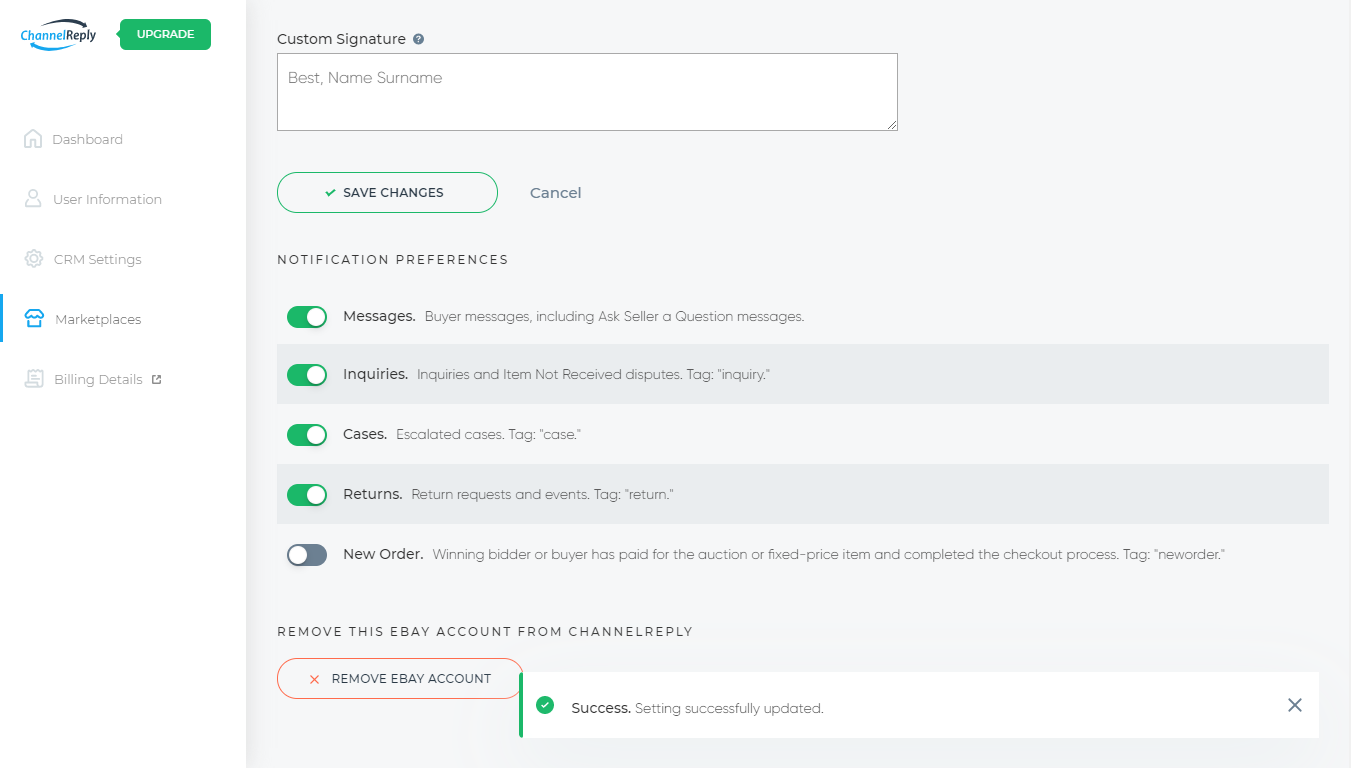
If the slider is moved to the right and green, it’s enabled. If it’s moved to the left and grey, it’s disabled.
Changes to the sliders are auto-saved. Just wait for the confirmation notification to appear in the lower right to make sure the auto-save has succeeded.


 Amazon
 eBay
eBay
 Shopify
 Walmart
 Back Market
 Newegg
 Etsy
Etsy
 WooCommerce
 Zendesk
 Freshdesk
 Help Scout
 Gorgias
 Re:amaze
 Zoho Desk
 Kustomer
 Onsite
 Help Center
 FAQ
FAQ
 Blog
Blog